How to Export Car Images for Craigslist and AutoTrader the Right Way
When you export car images for Craigslist and AutoTrader, the specifications, file formats, and resolution requirements differ significantly between platforms—and getting them wrong costs you clicks, visibility, and ultimately sales. Each marketplace enforces its own image policies, and a photo that looks great on one platform may appear cropped, compressed, or rejected on another. The good news: modern AI-powered tools make marketplace-optimized exports fast, consistent, and automatic.
Why Image Specs Matter More Than Ever in 2026
Vehicle listings compete in an increasingly crowded digital environment. Industry data indicates that listings featuring high-quality, properly formatted images receive significantly more engagement than those with poorly sized or compressed photos—some research suggests click-through rates can differ by 40% or more based on image quality alone.
Both Craigslist and AutoTrader have distinct technical requirements. Uploading the wrong dimensions or file size does not just affect aesthetics—it can trigger automatic compression that degrades image quality, reducing the professional appeal of your inventory photography.
AutoTrader Image Requirements (2026)
- Recommended resolution: 1280 × 960 pixels minimum; 2048 × 1536 pixels preferred
- File format: JPEG (.jpg) strongly preferred for compression efficiency
- Maximum file size: 10 MB per image
- Aspect ratio: 4:3 standard for vehicle detail shots
- Maximum images per listing: Up to 60 photos depending on subscription tier
Craigslist Image Requirements (2026)
- Maximum file size: 10 MB per image
- Supported formats: JPEG and PNG
- Maximum images per listing: 24 photos
- Resolution: No hard minimum, but images below 800 × 600 pixels appear unprofessionally small on desktop
- Automatic resizing: Craigslist compresses uploaded images, so starting with higher resolution preserves more detail post-compression
5 Steps to Export Car Images for Craigslist and AutoTrader Efficiently
Following a structured workflow eliminates the guesswork from preparing inventory photography for multiple platforms simultaneously.
- Capture at maximum resolution. Always shoot vehicle photos at your camera or smartphone’s highest resolution setting. This gives you a quality baseline to work from before any resizing or compression occurs.
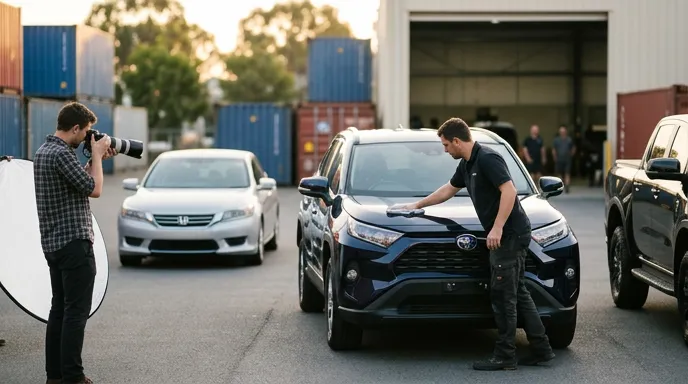
- Apply AI background replacement. Parking lot backgrounds—cluttered with other vehicles, signage, and distractions—reduce the professional impact of your listings. An AI background replacement tool removes the original environment and replaces it with a clean, dealership-grade backdrop in seconds, without manual masking.
- Address license plate visibility. Both AutoTrader and Craigslist require compliance with privacy standards. License plate blur or removal is non-negotiable before publishing any vehicle image publicly. Automated license plate blur software handles this across your entire batch without manual cropping.
- Resize and optimize for each platform. Export two versions: a high-resolution file at 2048 × 1536 pixels for AutoTrader, and a compressed version optimized for Craigslist’s automatic compression pipeline. Saving JPEG files at 85–90% quality balances file size and visual clarity.
- Use batch processing for full inventory runs. Processing vehicles one by one is not a scalable workflow for dealerships managing 50–500+ units. Batch processing tools apply consistent edits—background replacement, license plate blur, resizing, and format conversion—across an entire inventory set simultaneously.
The Hidden Cost of Manual Image Preparation
Many dealerships still rely on manual workflows: a staff member downloads photos from a camera, opens each one in a desktop application, removes backgrounds, blurs plates, resizes, and exports individually. For a modest inventory of 100 vehicles with 10 photos each, that process can consume 20–40 hours of staff time per inventory cycle.
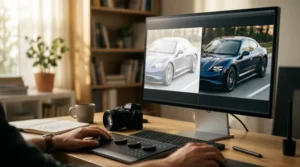
An automotive dealership photo editing platform purpose-built for dealers eliminates these repetitive steps. When you export car images for Craigslist and AutoTrader using an AI-powered platform, the entire pipeline—from raw parking lot photo to showroom-ready, marketplace-optimized export—completes in minutes rather than hours.
What Dealer-Quality Photos Actually Require
Dealer-quality photos are not about hiding vehicle condition—they are about presenting each unit accurately and professionally within a clean, distraction-free visual context. Marketplace buyers expect consistent lighting, uncluttered backgrounds, and sharp detail across all listing images.
The difference between a parking lot snapshot and a showroom-ready image is not Photoshop manipulation. Notably, go here provides a practical perspective on how to implement these ideas. It is simply background context, correct exposure, and proper marketplace-optimized formatting. AI tools deliver this consistency at scale without misrepresenting the vehicle itself.
Marketplace-Optimized Exports: AutoTrader vs. Craigslist Compared
| Specification | AutoTrader | Craigslist |
|---|---|---|
| Preferred resolution | 2048 × 1536 px | 1200 × 900 px (recommended) |
| File format | JPEG preferred | JPEG or PNG |
| Max file size | 10 MB | 10 MB |
| Max images per listing | Up to 60 | 24 |
| License plate policy | Must be obscured | Recommended to obscure |
How Car Studio Handles Exports for Multiple Marketplaces
Car Studio is an AI-powered platform built specifically for automotive dealers and inventory photographers who need to export car images for Craigslist and AutoTrader—as well as other platforms including Cars.com, Facebook Marketplace, and mobile.de—without managing separate export presets manually.
The platform’s AI background replacement tool converts raw parking lot photos into clean, professional images with dealer-grade backdrops. License plate blur processes each vehicle automatically, ensuring compliance before any image goes live. Marketplace-optimized exports apply the correct resolution, compression, and file format for each destination platform automatically.
For dealerships running 20–500+ vehicles, batch processing means an entire inventory cycle completes in a fraction of the time required by manual workflows. There is no need to hire a retoucher, maintain desktop software licenses, or manually resize and rename files for each platform.
Practical Example: A 150-Vehicle Dealership Workflow
Consider a used car dealership with 150 vehicles in active inventory, each with 12 photos. Traditionally, preparing those 1,800 images for dual-platform listing on AutoTrader and Craigslist would require significant manual effort—background cleanup, plate blurring, two export versions per image, and consistent file naming.
With an AI-powered platform, the same workflow processes all 1,800 images in a single batch run, producing AutoTrader-ready and Craigslist-ready exports simultaneously. Staff time shifts from repetitive image preparation to vehicle acquisition and customer engagement—activities that directly drive revenue.
Frequently Asked Questions
What image size works best for AutoTrader listings?
AutoTrader recommends a minimum of 1280 × 960 pixels, with 2048 × 1536 pixels preferred for best display quality. Use JPEG format at 85–90% compression to keep file sizes manageable while preserving sharp detail in your vehicle listing images.
Does Craigslist compress uploaded car photos?
Yes, Craigslist applies automatic compression to uploaded images. Starting with higher-resolution photos—ideally 1200 × 900 pixels or larger—preserves more visual quality after the platform’s compression pipeline processes the file.
How to Take Professional Car Photos for Online Listings
Getting your car photos right is crucial when listing on Craigslist or AutoTrader, since potential buyers make quick decisions based on what they see. Turn N Burn walks through the practical steps for capturing clear, appealing images that showcase your vehicle’s best features and help your listing stand out from the competition.
Is license plate blur required on Craigslist and AutoTrader?
AutoTrader explicitly requires license plates to be obscured in all listing images. Craigslist strongly recommends it as a privacy best practice. Automated license plate blur software handles this compliance step across entire inventory batches without manual intervention.
Can I export images for multiple car marketplaces at once?
Yes. AI-powered platforms like Car Studio support marketplace-optimized exports for multiple platforms simultaneously. The system applies the correct specifications for each destination automatically, eliminating the need to manage separate export presets for AutoTrader, Craigslist, and other platforms.
How many photos should a car listing have on AutoTrader?
Industry data suggests listings with 20 or more photos generate substantially higher engagement than those with fewer than 10. AutoTrader allows up to 60 images per listing, so covering exterior angles, interior details, engine bay, and odometer is strongly recommended.
Does AI background replacement misrepresent vehicle condition?
No. AI background replacement removes only the environmental backdrop—the parking lot, surroundings, and distractions—while preserving every detail of the vehicle itself. The vehicle’s actual condition remains fully visible and accurately represented in the final image.
Key Takeaways
- To export car images for Craigslist and AutoTrader correctly, use 2048 × 1536 px JPEG files for AutoTrader and 1200 × 900 px JPEG or PNG files for Craigslist.
- License plate blur is required on AutoTrader and strongly recommended on Craigslist before any image goes live publicly.
- AI background replacement converts parking lot photos into showroom-ready images without misrepresenting vehicle condition.
- Batch processing reduces image preparation time from hours to minutes for dealerships managing large inventories of 50–500+ vehicles.
- Marketplace-optimized export tools automatically apply the correct specifications for each platform, eliminating manual resizing and format conversion.
- Listings with more high-quality images consistently outperform those with fewer or lower-quality photos in click-through and engagement metrics.
Start Exporting Marketplace-Ready Vehicle Images Today
Every day a vehicle sits on your lot without a professional, properly formatted listing is a day of lost visibility. When you export car images for Craigslist and AutoTrader using a purpose-built AI platform, you eliminate the manual bottlenecks that slow your time-to-listing and reduce the consistency of your inventory photography.
We recommend exploring how Car Studio’s AI background replacement, license plate blur, and marketplace-optimized exports can transform your dealership’s photo workflow from the parking lot to a showroom-ready listing in minutes. Visit CAR STUDIO — AI Car Photo Editing for Dealers to see the platform in action and start processing your inventory today.
Infographic