What Is a White Wall Background Generator for Car Listings?
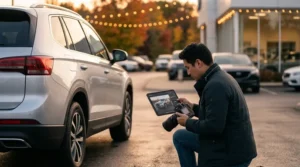
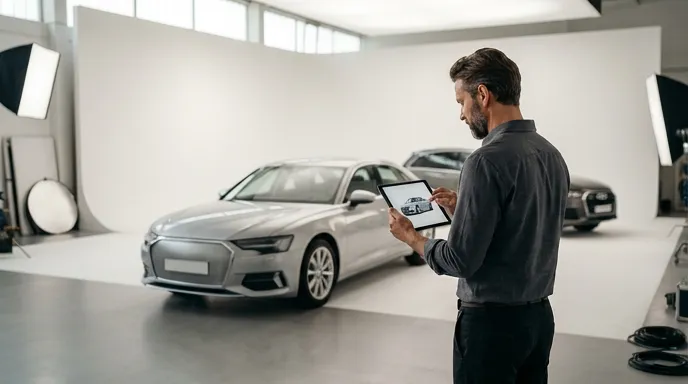
A white wall background generator for car listings is an AI-powered tool that automatically replaces the original photo background with a clean, neutral white or light-colored surface—delivering professional, studio-style vehicle images without the cost or complexity of a physical photo studio. Dealers upload parking lot photos and receive showroom-ready images in seconds, ready for marketplace submission.
In 2026, automotive online marketplaces have raised the bar for listing image quality. Platforms such as AutoTrader, Cars.com, and mobile.de increasingly reward listings with clean, consistent backgrounds through higher visibility and better click-through rates. A professional white wall background generator for car listings has become an essential tool—not a luxury—for competitive dealers managing large vehicle inventories.
Why White Backgrounds Dominate Vehicle Listings in 2026
Research from marketplace analytics consistently shows that vehicle listings with clean, neutral backgrounds generate significantly higher engagement than those photographed in cluttered parking lots or in front of dealer signage. Buyers focus on the car itself when distractions are removed from the frame.
Several leading automotive marketplaces now publish image guidelines that recommend or require white or neutral backgrounds for primary listing photos. Non-compliant listings risk reduced placement or outright rejection during quality review.
The Business Case for Consistent Background Standards
Beyond compliance, there is a measurable commercial argument for standardizing your inventory photography. Industry data from automotive listing platforms suggests that listings with professional, consistent imagery see meaningfully higher lead conversion rates compared to listings with unprocessed lot photos.
- Faster buyer decisions: Clean backgrounds reduce visual noise, helping buyers evaluate the vehicle faster.
- Brand consistency: A uniform look across your entire inventory builds trust and dealership authority.
- Marketplace algorithm favorability: Many platforms rank higher-quality images above lower-quality alternatives in search results.
- Reduced time-to-listing: AI-generated backgrounds eliminate the need for manual photo editing or expensive studio sessions.
How a White Wall Background Generator for Car Listings Works
Modern AI background replacement tools use computer vision and deep learning to precisely detect vehicle outlines—including complex shapes such as side mirrors, wheel arches, and roof rails—and replace everything outside the vehicle with a white or light neutral tone.
- Upload your lot photo: Use any smartphone or DSLR camera to capture the vehicle. Natural lighting and a clear angle produce the best AI detection results.
- AI vehicle segmentation: The tool automatically identifies the vehicle outline, separating it from the original background with pixel-level precision.
- Background application: A clean white wall or neutral studio background is applied seamlessly, preserving accurate vehicle color and reflection.
- Quality review: The processed image is rendered and made available for download, typically within seconds per photo.
- Marketplace-optimized export: The final image is exported in the correct resolution and file format for your target platforms—whether AutoTrader, Facebook Marketplace, OLX, or others.
This workflow transforms the typical parking lot photo into a dealer-quality, showroom-ready asset without requiring any manual masking, Photoshop skills, or outsourced retouching labor.
5 Key Features to Look for in a White Wall Background Generator for Car Listings
Not all AI background tools deliver equivalent results for automotive use cases. Vehicle photography presents specific challenges—reflections, chrome surfaces, glass windows, and complex body lines—that general-purpose background removers often handle poorly.
1. Automotive-Specific AI Models
A tool trained specifically on vehicle imagery will produce cleaner edge detection around mirrors, grilles, and wheels compared to a generic background remover. Look for solutions built exclusively for the automotive sector.
2. Batch Processing Capability
Dealers managing inventories of 50 to 500+ vehicles cannot afford to process photos one by one. Batch processing allows an entire inventory shoot to be transformed simultaneously—dramatically reducing turnaround time and labor cost.
3. License Plate Blur and Removal
Privacy regulations across multiple markets—including GDPR in Europe—require that license plates be obscured in publicly displayed vehicle images. A professional white wall background generator for car listings should include integrated license plate blur or removal functionality to ensure compliance without a separate editing step.
4. Multiple Background Options
While white is the dominant preference, some marketplaces and dealer brands prefer light grey, gradient, or specific branded studio backgrounds. Flexible background selection ensures your inventory photography aligns with platform requirements and brand guidelines simultaneously.
5. Marketplace-Optimized Exports
Each automotive listing platform specifies different image resolution requirements, aspect ratios, and file size limits. Marketplace-optimized exports that automatically format images for Cars.com, AutoTrader, mobile.de, Facebook Marketplace, and other platforms eliminate manual resizing and prevent listing rejections due to image non-compliance.
Parking Lot to Showroom: A Practical Workflow for Dealers
The practical implementation of a white wall background generator for car listings does not require significant changes to an existing photography process. We recommend the following streamlined workflow for dealerships of any size.
Step 1 — Standardize your photo capture process. Train your lot photographer or sales team to photograph each vehicle from consistent angles: front three-quarter, rear three-quarter, driver side profile, and passenger side profile. Consistent angles improve AI detection accuracy and produce a professional, uniform look across your entire inventory.
Step 2 — Upload the full inventory shoot. Use batch processing to upload all photos from a single shoot simultaneously. This eliminates the bottleneck of processing vehicles individually and ensures your listing goes live faster.
Step 3 — Apply white background and license plate blur in one pass. A platform like Car Studio handles both background replacement and license plate compliance in the same processing step—saving time and ensuring no compliance steps are missed.
Step 4 — Export for each target platform. Select your target marketplaces and export marketplace-optimized images in the correct format for each platform simultaneously. Listings that meet platform image specifications are published faster and rank more favorably.
Common Mistakes Dealers Make with Vehicle Background Replacement
Even with an effective white wall background generator for car listings in place, certain avoidable errors reduce the quality of final images and undermine the investment in AI editing.
- Poor original capture conditions: AI background tools perform best with well-lit, clearly defined vehicle boundaries. Photographing in extreme shadow or with heavy rain reduces segmentation accuracy.
- Ignoring window transparency: High-quality automotive AI tools preserve the natural look of glass windows rather than filling them with white—ensuring the final image remains realistic and transparent.
- Skipping license plate compliance: Failing to blur or remove license plates before publishing exposes dealers to privacy regulation risk and potential marketplace policy violations.
- Using generic background removers: Tools not trained on automotive imagery often produce jagged edges around complex vehicle shapes, delivering an unprofessional final result.
- Inconsistent background tones: Mixing warm white and cool white backgrounds across an inventory creates visual inconsistency that undermines brand trust on listing pages.
Frequently Asked Questions
What is a white wall background generator for car listings?
It is an AI-powered tool that replaces the original background of a vehicle photo with a clean white or neutral surface. It produces professional, showroom-ready images from standard parking lot photos in seconds, without manual editing or studio setups.
Creating Professional 3D Car Images for Your Listings
For a practical walkthrough on generating polished car images using AI tools, this tutorial from Ashif Tech demonstrates how to leverage the Bing app and 3D capabilities to create professional-looking backgrounds and product shots. You’ll learn the step-by-step process that can help elevate your car listing presentations without requiring expensive photography equipment or studio setups.
Does AI background replacement work on all vehicle types?
Yes. Quality automotive AI tools handle cars, trucks, SUVs, vans, and motorcycles effectively. Tools trained specifically on vehicle imagery manage complex shapes such as side mirrors, open convertible roofs, and chrome trim with high accuracy.
Is license plate blur included in background generator tools?
The most capable platforms, including Car Studio, integrate license plate blur and removal directly into the background replacement workflow. This ensures GDPR compliance and marketplace image policy adherence in a single processing step.
How many photos can be processed at once with batch processing?
Batch processing capabilities vary by platform. Enterprise-grade automotive photo editing platforms can process hundreds of vehicle images simultaneously, making it practical for dealers managing inventories of 50 to 500 or more vehicles.
Will the white background look realistic or artificial?
High-quality automotive AI tools produce backgrounds that maintain accurate vehicle reflections and color grading, resulting in a realistic studio appearance. The goal is a professional image that represents the vehicle accurately—not an artificial or misleading composite.
Which car marketplaces require or recommend white backgrounds?
AutoTrader, Cars.com, mobile.de, and Facebook Marketplace all publish image quality guidelines that recommend neutral or white backgrounds for primary listing photos. Some platforms actively rank higher-quality images above lower-quality alternatives in search results.
Summary
- A white wall background generator for car listings transforms standard lot photos into professional, studio-quality images using AI background replacement—without manual editing or expensive photo studios.
- Marketplace-optimized exports ensure your inventory images meet the specific resolution, format, and quality requirements of each target platform, reducing listing rejections and improving visibility.
- Batch processing is essential for dealerships managing large inventories—it reduces turnaround time and ensures all vehicles go live faster and with consistent visual quality.
- Integrated license plate blur protects dealer and customer privacy, ensuring compliance with GDPR and marketplace image policies in a single automated step.
- Automotive-specific AI models deliver superior edge detection compared to general-purpose background removers, producing realistic results even on complex vehicle shapes and chrome surfaces.
- Consistent, professional imagery across your entire inventory builds buyer trust, improves click-through rates, and positions your dealership as a credible, authoritative source in competitive marketplaces.
Start Producing Showroom-Ready Inventory Images Today
The competitive advantage of professional vehicle imagery is measurable—and accessible without significant investment when the right tools are in place. Whether you manage 20 vehicles or 500, a white wall background generator for car listings removes the bottleneck between your photography process and a fully optimized, marketplace-ready listing.
We invite you to experience the difference that dealer-quality, AI-generated backgrounds make to your inventory presentation. CAR STUDIO — AI Car Photo Editing for Dealers delivers AI background replacement, license plate blur, batch processing, and marketplace-optimized exports in a single professional platform—purpose-built for the automotive industry.
Infographic