What Is AI Background Removal for Car Photos?
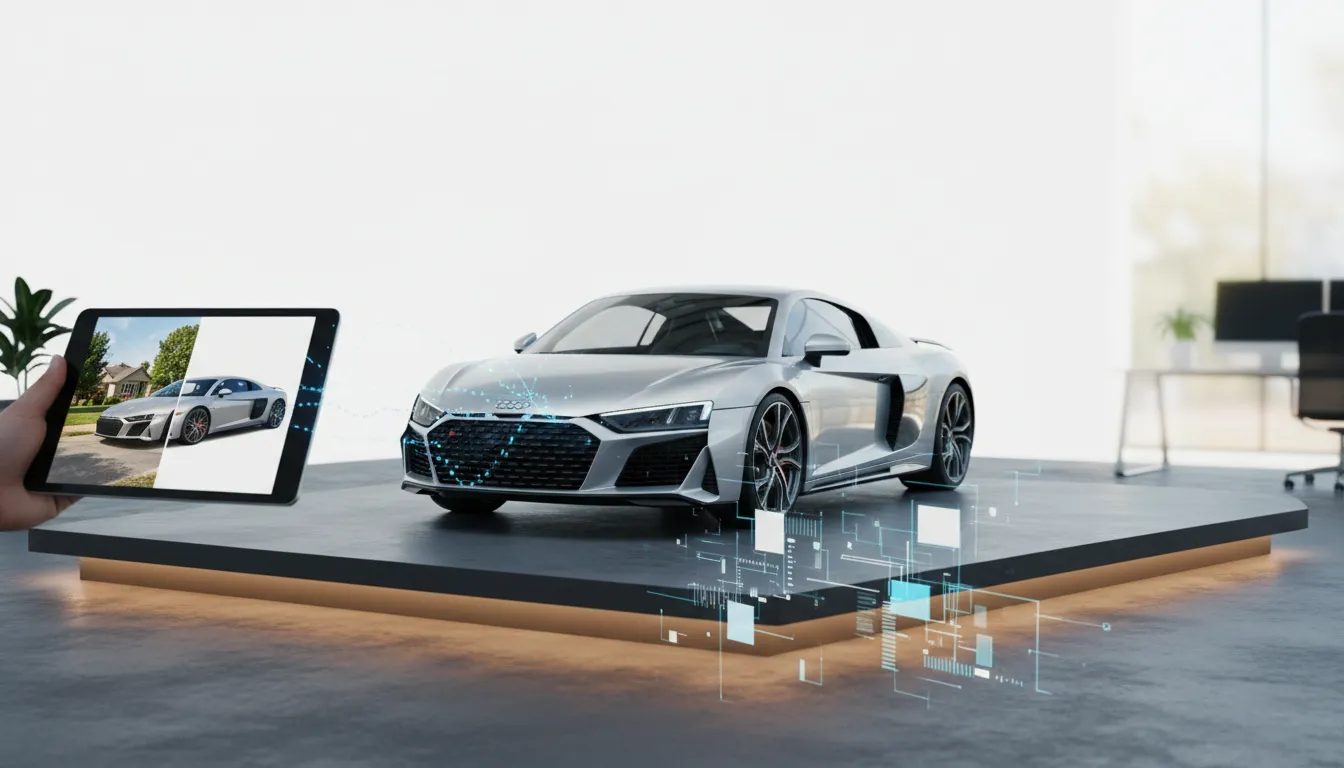
AI background removal for car photos is an automated image editing process that uses machine learning algorithms to detect vehicle outlines, isolate the subject, and replace the original background with a clean, professional alternative—in seconds. This technology eliminates the need for manual photo editing or expensive studio shoots, making showroom-quality images accessible to any dealership.
For automotive dealers in 2026, first impressions happen online. Buyers scroll through dozens of listings before clicking a single one, and vehicle photos are the deciding factor. A crisp, distraction-free background signals professionalism and builds immediate trust.
Why AI Background Removal for Car Photos Matters in 2026
The online automotive marketplace has never been more competitive. Research by Cox Automotive indicates that vehicle listings with high-quality imagery receive significantly more engagement than those with cluttered or low-effort photos. Parking lots, overcast skies, and random bystanders in the background undermine a vehicle’s perceived value before a buyer even reads the price.
Traditional solutions—booking a photography studio, hiring a retoucher, or manually cutting out backgrounds in Photoshop—are time-consuming and expensive at scale. A dealership moving 100+ units per month cannot afford multi-day editing turnarounds. That is where AI background removal for car photos transforms operations.
Key Benefits for Automotive Dealerships
- Speed: Process an entire inventory batch in minutes rather than days.
- Consistency: Every listing photo matches your brand’s visual standard automatically.
- Cost efficiency: Eliminate per-image retouching fees from freelance editors.
- Marketplace compliance: Meet the strict image requirements of platforms like AutoTrader, Cars.com, and eBay Motors without manual intervention.
- Higher click-through rates: Clean, white or gradient backgrounds draw attention to the vehicle itself.
How AI Background Removal for Car Photos Works
Modern AI background removal tools rely on deep learning models trained on millions of automotive images. These models understand the precise contours of vehicles—including mirrors, wheel arches, and complex body lines—delivering edge accuracy that general-purpose background removers simply cannot match.
- Image upload: Upload your vehicle photo directly from your device or via bulk import.
- AI segmentation: The algorithm identifies the car’s silhouette and separates it from the background with pixel-level precision.
- Background replacement: Choose from a library of pre-approved backgrounds—white studio, gradient, showroom floor, lifestyle scene, or a custom branded backdrop.
- Quality review: The processed image is rendered in high resolution, ready for export.
- Export: Download files optimized for your target platforms—car marketplaces, social media, or your dealership website.
Platforms like CAR STUDIO — AI Car Photo Editing for Dealers have refined this pipeline specifically for the automotive industry, meaning the AI understands the difference between a car’s window reflection and the actual background, a nuance that generic tools frequently miss.
Choosing the Right AI Background Removal Tool for Car Photos
Not all AI background removal tools are built with vehicles in mind. A tool designed for product photography may struggle with reflective paint finishes, panoramic windshields, or low-profile sports cars. When evaluating a solution, prioritize these criteria:
5 Features to Look for in an Automotive AI Editor
- Automotive-specific training data: The model must be trained on vehicles, not general objects.
- Bulk processing capability: Essential for dealerships managing large inventories.
- Marketplace-optimized exports: Pre-configured image dimensions and file formats for Cars.com, AutoTrader, Facebook Marketplace, and others.
- License plate handling: Built-in license plate blur or removal to protect privacy and comply with regional regulations.
- Background library variety: Multiple professional background options including seasonal and brand-specific templates.
AI background removal for car photos integrated with license plate blur and removal software is particularly valuable in 2026, as data privacy regulations across North America, Europe, and Australia have tightened requirements around displaying identifiable vehicle information in public listings.
AI Background Removal vs. Traditional Photo Editing: A Direct Comparison
Understanding the difference between AI-powered solutions and traditional editing workflows helps dealerships make an informed decision about where to invest.
- Turnaround time: AI delivers results in under 60 seconds per image; manual editing takes 15–45 minutes per image.
- Cost per image: AI tools operate on a flat subscription or per-image rate far below freelance editing fees; manual editing typically costs $5–$25 per image from professional retouchers.
- Scalability: AI handles unlimited volume simultaneously; manual workflows bottleneck at the editor’s availability.
- Consistency: AI applies the same standard across every image; manual results vary by editor and shift.
- Customization: Both approaches allow branded backgrounds, though AI executes changes instantly across entire batches.
For high-volume dealerships, the ROI case for AI background removal for car photos is clear. Even at modest volume—50 vehicles per month with five photos each—the time saved versus manual editing exceeds 60 hours monthly.
Best Practices for Taking Car Photos That AI Can Edit Perfectly
AI background removal performs best when the source photos meet certain quality standards. Investing a few extra minutes at the photography stage dramatically improves output quality.
7 Tips for Capture-Ready Automotive Photos
- Photograph vehicles in even, diffused daylight to avoid harsh shadows that confuse segmentation models.
- Keep at least two feet of clear ground visible around all sides of the vehicle.
- Avoid photographing against backgrounds that match the vehicle’s body color.
- Clean the vehicle before shooting—mud or debris on the lower body can cause edge detection errors.
- Shoot from consistent angles (three-quarter front, three-quarter rear, side profile) for a uniform listing set.
- Use a camera or smartphone capable of at least 12 megapixels for sufficient detail.
- Avoid shooting into direct sunlight, which creates blown-out reflections on glass and paint.
Following these guidelines means the AI background removal for car photos process will produce cleaner edges, more accurate reflections, and fewer manual corrections—saving even more time downstream.
AI Background Removal for Car Photos: Industry Use Cases
The application extends well beyond franchise dealerships. Any business that sells or markets vehicles benefits from professional imagery at scale.
- Independent used car dealers: Compete visually with franchise lots without a studio budget.
- Car rental companies: Maintain consistent fleet photography across hundreds of vehicles.
- Auto auction platforms: Process thousands of consignment photos in hours rather than weeks.
- Private sellers: Present vehicles professionally on marketplace platforms to justify asking prices.
- Fleet management companies: Document and list decommissioned vehicles efficiently.
Frequently Asked Questions
How accurate is AI background removal for car photos?
Modern automotive AI editors achieve edge accuracy exceeding 95% on well-lit, standard vehicle photos. Reflective surfaces and glass require more advanced models, which dedicated automotive platforms handle better than general-purpose tools.
Can AI remove backgrounds from any car photo?
AI background removal works on the vast majority of vehicle photos. Results improve significantly when photos are well-lit, clearly show the vehicle’s full silhouette, and avoid backgrounds that closely match the car’s color.
How AI Background Removal Works for Car Photos
To see how this technology actually performs in a dealership setting, CloudPano demonstrates their AI-powered background removal software in action. The video shows real examples of how quickly and accurately the software isolates vehicles from their original backgrounds, which is particularly useful for dealers managing large inventory batches.
Does AI background removal include license plate blurring?
Leading automotive AI platforms—including CAR STUDIO—combine background removal with automatic license plate blur or removal in a single processing step, saving additional editing time.
How long does AI background removal take per image?
Processing typically completes in 10–60 seconds per image depending on file size and platform. Bulk uploads allow hundreds of images to be processed simultaneously, dramatically reducing total turnaround time.
What backgrounds can I apply after AI removal?
Most automotive AI platforms offer white studio backgrounds, gradient options, lifestyle scenes, showroom floors, and custom branded backdrops. Car marketplace-optimized exports are often available as preset options.
Is AI background removal compliant with marketplace image policies?
Yes, when the output meets resolution and format requirements. Purpose-built automotive photo editing platforms configure exports specifically for major marketplaces, ensuring policy compliance automatically.
Summary: Key Takeaways
- AI background removal for car photos processes vehicle images in seconds, replacing parking lot or cluttered backgrounds with professional alternatives.
- Dedicated automotive AI tools outperform general-purpose background removers due to vehicle-specific training data and edge detection capabilities.
- Dealerships processing 50+ vehicles monthly save 60+ hours of editing time by switching from manual retouching to AI automation.
- Capturing photos in even light with clear vehicle silhouettes maximizes AI output quality and reduces the need for manual corrections.
- Integrated features—including license plate blur and marketplace-optimized exports—make all-in-one automotive AI platforms the most efficient solution in 2026.
- Any business that markets vehicles at scale—dealers, rental companies, auction platforms—benefits measurably from AI photo editing automation.
Transform Your Vehicle Listings Today
The gap between a listing that gets passed over and one that earns a call is often nothing more than photo quality. AI background removal for car photos gives every dealership—regardless of size or budget—the ability to present inventory at its absolute best.
Ready to turn parking lot snapshots into showroom-ready images in minutes? Visit CAR STUDIO — AI Car Photo Editing for Dealers and start processing your vehicle inventory today.