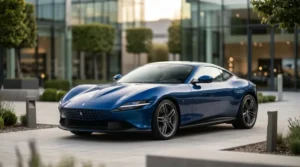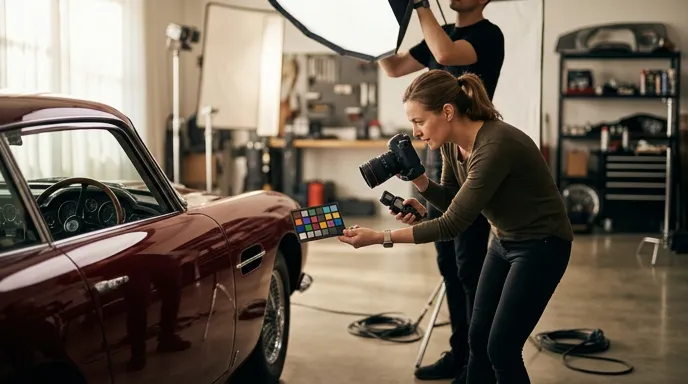
What Is Color Correction for Automotive Product Photography?
Color correction for automotive product photography is the process of adjusting and standardizing the colors in vehicle images to accurately reflect a car’s true paint, interior, and trim—regardless of the lighting conditions under which the photo was taken. Accurate color representation directly impacts buyer confidence, reduces return inquiries, and increases click-through rates on marketplace listings. For dealerships managing hundreds of vehicles, consistent color accuracy is not a luxury—it is a professional standard.
In 2026, automotive buyers make purchasing decisions faster than ever, with research suggesting that vehicle listing images influence buyer intent within the first three seconds of viewing. A car that appears washed out, overly warm, or inconsistently colored across listing photos signals unprofessionalism and erodes trust before a single word is read.
Why Color Accuracy Matters in Dealer Inventory Photography
Color discrepancies in vehicle photos are more common than most dealerships realize. Parking lot photography—conducted under mixed sunlight, overcast skies, or artificial lot lighting—introduces significant color casts that distort the true appearance of a vehicle’s exterior paint.
- White balance errors cause silver vehicles to appear blue or grey vehicles to appear green
- Overexposed backgrounds bleed light onto the vehicle’s hood and roof, washing out paint depth
- Inconsistent color temperature across multiple photos of the same car creates a disjointed listing experience
- Underexposed interiors make upholstery colors unidentifiable, reducing buyer confidence in condition
According to industry data from automotive marketplace platforms, listings with accurate, well-lit vehicle photos receive significantly more qualified leads than those with color-inconsistent imagery. For dealerships running inventory photography at scale, color correction for automotive product photography is a workflow priority—not an afterthought.
5 Core Principles of Effective Automotive Color Correction
Mastering color correction for automotive product photography requires understanding both the technical and visual standards that buyers and marketplaces expect. We recommend following these five foundational principles:
- Establish a neutral white balance baseline. Set your camera’s white balance to match the dominant light source before shooting. For parking lot photography, a custom white balance card or a RAW format workflow allows accurate correction in post-processing without guessing.
- Correct exposure before adjusting color. An underexposed image will produce inaccurate color readings. Bring the exposure to a neutral midpoint first, then evaluate the true color cast present in the image.
- Use a reference standard for each vehicle color category. Create a reference palette for common automotive paint types—metallic, matte, pearl, and solid—so corrections remain consistent across your entire inventory.
- Preserve paint depth and reflectivity. Automotive paints—especially metallics and tri-coats—contain inherent depth and sparkle. Aggressive color correction can flatten these qualities. Adjust hue and saturation conservatively, targeting accuracy over intensity.
- Standardize interior color treatment separately. Interior materials (leather, alcantara, fabric, trim) absorb and reflect light differently than exterior paint. Apply separate correction profiles for interior shots to maintain consistency across your listings.
Common Lighting Challenges in Parking Lot Vehicle Photography
Most dealership inventory photography happens in real-world conditions—not controlled studio environments. This creates predictable color correction challenges that every dealer photographer encounters.
Direct Sunlight
Harsh midday sunlight creates high-contrast images with blown-out highlights on the vehicle’s roof and hood. The color temperature is high (cool/blue), which requires a warm correction in post-processing. Shadow areas simultaneously appear overly warm, creating uneven color across a single vehicle photo.
Overcast Conditions
Overcast skies provide diffused, even light—ideal for color accuracy—but often introduce a slight blue-grey cast that dulls warm paint colors like red, orange, and champagne. A modest warming adjustment in white balance resolves this effectively.
Mixed Artificial and Natural Light
Indoor showroom photos or covered lot photography combines fluorescent or LED artificial lighting with ambient daylight. This mixed-light environment is among the most challenging for color correction for automotive product photography, often producing green or magenta casts that require targeted hue correction.
How AI-Powered Tools Streamline Automotive Color Correction
Manual color correction—image by image—is impractical for dealerships managing 50, 100, or 500+ vehicles in active inventory. In 2026, AI-powered automotive photo editing platforms have transformed this workflow by automating the most time-consuming correction tasks while maintaining dealer-quality photo standards.
Platforms designed specifically for inventory photography apply consistent color normalization across entire vehicle sets in batch processing workflows. Rather than correcting a single photo in isolation, AI tools analyze the vehicle type, paint category, and lighting environment to apply corrections that are both accurate and consistent across every angle of the same vehicle listing.
Beyond color correction for automotive product photography, integrated AI platforms also handle:
- AI background replacement — replacing inconsistent parking lot backgrounds with clean, professional studio-quality backgrounds that do not interfere with vehicle color perception
- License plate blur and removal — automatically redacting plates for GDPR compliance and privacy requirements without manual masking
- Marketplace-optimized exports — generating correctly sized and color-profiled images for AutoTrader, Cars.com, mobile.de, OLX, and other major platforms
- Batch processing — applying consistent corrections across entire inventory sets simultaneously, reducing per-vehicle editing time from minutes to seconds
The shift from parking lot to showroom begins with color accuracy. When vehicle colors are rendered correctly and backgrounds are neutralized, buyers can assess a vehicle’s true condition and appearance without distraction—exactly what builds the trust that converts listings into sales.
Best Practices for Capturing Vehicle Photos That Require Minimal Color Correction
The most effective color correction for automotive product photography workflow starts before post-processing. Capturing images with accurate color at source reduces editing time and produces more reliable results.
Shoot in RAW Format
RAW files preserve full color data captured by the camera sensor, allowing precise white balance and color adjustments in post-processing without quality degradation. JPEG files compress and discard color data at capture, limiting correction latitude significantly.
Use Consistent Shooting Times
Standardizing inventory photography to a consistent time window—such as two hours after sunrise or two hours before sunset—produces stable, warm-toned natural light that minimizes the severity of color casts requiring correction.
Position Vehicles Consistently
Consistent vehicle orientation relative to the light source ensures that corrections applied to one vehicle at a given time of day are transferable to others photographed under the same conditions. This is particularly valuable in batch processing workflows.
Avoid Mixed Light Sources
Where possible, position vehicles entirely in natural light or entirely under artificial light rather than in transition zones. Mixed lighting environments are the primary cause of difficult-to-correct color casts in inventory photography.
Color Correction Standards for Major Automotive Marketplaces in 2026
Major automotive listing platforms have introduced increasingly specific image quality requirements in 2026. AutoTrader, Cars.com, and European platforms including mobile.de and OLX now actively filter or demote listings with images that fail basic quality thresholds—including color accuracy and exposure consistency.
Marketplace-optimized exports must meet specific color space requirements (typically sRGB), resolution standards, and compression profiles. AI automotive photo editing platforms that generate marketplace-optimized exports automatically ensure compliance with these requirements, removing the technical burden from dealership staff.
Color correction for automotive product photography is not only a visual quality issue—it is increasingly a platform compliance issue that directly affects listing visibility and lead generation performance.
Streamlining Color Correction in Your Workflow
While manual color adjustments give you complete control, there’s a faster way to get consistent results across your automotive shots. This tutorial from Andrea Livieri demonstrates how Photoshop’s one-click color correction tools can dramatically speed up your editing process, allowing you to maintain that perfect automotive finish without spending hours on each image.
Frequently Asked Questions
What is color correction for automotive product photography?
Color correction for automotive product photography is the process of adjusting vehicle images to accurately represent a car’s true paint and interior colors. It removes unwanted color casts caused by lighting conditions, ensuring listings appear realistic and consistent across all marketplace platforms.
Why do vehicle photos look different colors in listings?
Vehicle photos appear inconsistently colored due to varying lighting conditions at the time of capture—sunlight, overcast skies, and artificial lot lighting all introduce different color casts. Without standardized color correction, the same vehicle can appear to have different paint colors across its listing photos.
Can AI tools handle automotive color correction automatically?
Yes. AI-powered automotive photo editing platforms in 2026 apply consistent color normalization across entire inventory sets through batch processing. These tools analyze lighting conditions and vehicle paint types to deliver dealer-quality corrections without manual intervention on each individual image.
Does background replacement affect vehicle color accuracy?
AI background replacement tools designed for automotive photography are built to preserve vehicle color integrity. By replacing inconsistent parking lot backgrounds with neutral studio environments, they also eliminate background color reflections that can distort the apparent color of a vehicle’s paint.
How does color correction affect marketplace listing performance?
Accurate, consistent color correction in vehicle listings improves buyer trust, increases time-on-page, and reduces post-inquiry qualification questions about vehicle color and condition. Marketplace platforms also increasingly reward high-quality imagery with improved listing visibility and ranking.
What color space should automotive listing photos use?
The sRGB color space is the industry standard for web-based automotive marketplace listings. Marketplace-optimized exports from AI editing platforms automatically apply the correct color space profile, ensuring accurate color rendering across all browser and device environments.
Key Takeaways
- Color correction for automotive product photography ensures vehicle paint and interior colors are accurately represented in every listing image, directly supporting buyer trust and conversion.
- Parking lot photography introduces predictable color casts—from sunlight, overcast skies, and mixed artificial lighting—that require standardized correction workflows to resolve.
- Shooting in RAW format and maintaining consistent shooting conditions reduces the correction workload and produces more reliable, accurate results in batch processing.
- AI-powered automotive photo editing platforms automate color normalization, background replacement, license plate blur, and marketplace-optimized exports at inventory scale.
- In 2026, major automotive marketplaces enforce image quality standards that include color accuracy requirements—making professional color correction a platform compliance issue as well as a visual quality standard.
- The combination of accurate color correction and clean AI background replacement creates showroom-ready imagery that performs measurably better in marketplace listing environments.
Transform Your Inventory Photography with Car Studio
Accurate color correction for automotive product photography—delivered consistently across every vehicle in your inventory—is achievable without manual editing, additional staff, or expensive studio sessions. CAR STUDIO — AI Car Photo Editing for Dealers provides dealerships with the AI-powered tools to process parking lot photos into showroom-ready, marketplace-optimized images at scale. From AI background replacement to license plate blur and batch processing workflows, Car Studio delivers the professional photo quality that drives listing performance.
We invite you to experience how Car Studio transforms your inventory photography workflow. Visit carstudio.io to get started today.
Infographic