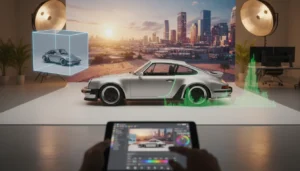
What Does It Mean to Batch Edit Multiple Car Photos at Once?
To batch edit multiple car photos at once means applying a consistent set of editing actions—background replacement, license plate blur, color correction, and export formatting—to an entire inventory of vehicle images simultaneously. For dealerships managing dozens or hundreds of listings, this capability transforms a process that once took days into one that takes minutes. Car Studio’s AI-powered platform makes this achievable without specialist editing knowledge.
Why Dealerships Can No Longer Afford Manual Photo Editing
Vehicle listings with high-quality imagery receive significantly more clicks than those with raw lot photos, according to industry research from Cox Automotive. Yet manually editing each photo one by one remains one of the most time-consuming tasks in the vehicle listing workflow.
Consider a dealership with 200 vehicles in active inventory. If each vehicle requires five photos, that is 1,000 images to process. At even five minutes per image using traditional software, that equates to over 83 hours of editing work—every listing cycle.
Batch processing eliminates this bottleneck entirely. When you batch edit multiple car photos at once, you apply uniform quality standards across your entire inventory in a fraction of the time, ensuring every listing looks showroom-ready before it reaches a marketplace.
The Cost of Inconsistent Inventory Photography
Inconsistency is a silent conversion killer. When buyers browse platforms such as AutoTrader, Cars.com, or mobile.de, they compare listings side by side. A vehicle with a cluttered parking lot background next to a competitor’s image with a clean, professional backdrop immediately signals lower quality—regardless of the vehicle’s actual condition.
Batch editing enforces visual consistency across every photo in your inventory, projecting a professional, trustworthy brand image at scale.
How to Batch Edit Multiple Car Photos at Once with Car Studio
The following workflow outlines how dealerships use Car Studio to process large volumes of vehicle images efficiently and consistently.
- Upload your full inventory image set. Car Studio accepts bulk uploads of vehicle photos directly from your device, camera system, or connected storage. There is no need to sort or pre-label images manually.
- Select your background replacement style. Choose from a library of AI-generated backgrounds—clean studio white, gradient grey, outdoor lifestyle, or dealership-branded environments. This setting applies uniformly across every image in the batch.
- Enable automatic license plate blur. Car Studio’s license plate blur removal software detects and processes plates across all uploaded images simultaneously, ensuring GDPR compliance and marketplace policy adherence without manual review.
- Configure marketplace-optimized export settings. Select your target platforms—AutoTrader, Cars.com, Facebook Marketplace, OLX, or others—and Car Studio automatically formats each image to the correct dimensions, file size, and resolution requirements.
- Review and download your processed images. AI processing completes in minutes. Review flagged images for quality assurance, then download your full batch or push directly to your listing platform via integration.
This five-step process enables dealerships to process hundreds of images—batch editing multiple car photos at once—in the time it previously took to edit a single vehicle’s photo set manually.
5 Key Benefits of Batch Processing for Automotive Dealers
1. Dramatically Reduced Time-to-Listing
Speed matters in vehicle sales. Research from industry analysts consistently shows that vehicles listed within 24 hours of arrival sell faster and at stronger margins than those with delayed listings. Batch processing compresses photo editing from hours to minutes, enabling same-day listing for incoming inventory.
2. Consistent Dealer-Quality Photos Across All Listings
Every image processed through a single batch shares the same background, lighting correction, and export specifications. This uniformity is the foundation of a professional dealership brand presence—whether you operate 20 vehicles or 500.
3. GDPR and Marketplace Compliance at Scale
License plate blur is not optional—it is a legal requirement in multiple jurisdictions and a policy requirement on most major marketplaces. Processing each plate manually across a large inventory introduces compliance risk. Automated license plate blur removal software handles this at the batch level, eliminating human error.
4. No Specialist Software or Training Required
Traditional approaches to batch editing required proficiency in complex desktop software. Car Studio’s automotive dealership photo editing platform is purpose-built for dealers and lot photographers, not professional retouchers. The interface is intuitive, and results are immediate.
5. Marketplace-Optimized Exports Ready for Every Platform
Different marketplaces impose different image specifications. Manually reformatting images for each platform multiplies editing time. Car Studio’s marketplace-optimized exports handle multi-platform formatting automatically within the same batch workflow.
Batch Editing Best Practices for High-Volume Dealerships in 2026
To maximize the value of batch processing, we recommend the following practices when capturing and submitting inventory photos.
- Standardize your capture angle and distance. AI background replacement performs most accurately when vehicle positioning is consistent across photos. Establish a standard shot sequence for all lot photographers.
- Shoot in consistent lighting conditions. Natural daylight or consistent artificial lighting reduces the variation that AI models must compensate for, producing cleaner final results.
- Group images by vehicle before uploading. Organizing your batch by vehicle unit streamlines the review stage and simplifies integration with your vehicle inventory photography workflow.
- Use high-resolution source images. Batch processing preserves and works from the quality of the source file. Higher resolution inputs yield sharper, more marketplace-ready outputs.
- Review AI flags before final export. Car Studio identifies images that may require manual attention—unusual angles, obstructions, or low-light captures. A brief review of flagged items ensures quality before publishing.
Frequently Asked Questions
How many photos can I batch edit at once?
Car Studio supports large-volume batch uploads suitable for dealership inventories of any size. Whether you are processing 50 or 5,000 images, the platform handles the workload simultaneously without requiring manual queuing.
Does batch editing work for all vehicle types?
Yes. Car Studio’s AI background replacement tool is trained on a wide range of vehicle types, including sedans, SUVs, trucks, vans, motorcycles, and commercial vehicles. Batch processing applies consistently across mixed inventory uploads.
Speeding Up Your Car Photo Workflow
If you’re spending hours editing each car photo individually, there’s a better way. Alex McInnes demonstrates how to edit an entire set of car photos in a fraction of the time using Lightroom’s batch editing features. This practical approach shows you how to apply consistent edits across multiple images while still maintaining the quality your customers expect.
Is license plate blur applied automatically in batch mode?
Yes. License plate detection and blur are applied automatically to every image in a batch without requiring manual selection or review of individual photos, ensuring compliance at scale.
Will AI editing alter the appearance of the vehicle itself?
No. Car Studio’s processing is strictly limited to backgrounds, license plates, and export formatting. The vehicle’s actual appearance—including any visible condition—is preserved accurately and transparently in every processed image.
Which marketplaces are supported for optimized exports?
Car Studio supports marketplace-optimized exports for major platforms including AutoTrader, Cars.com, Facebook Marketplace, mobile.de, OLX, and others. Export profiles are regularly updated to reflect current platform specifications.
How long does batch processing take?
Processing time depends on batch size, but Car Studio typically completes background replacement and license plate blur for a standard dealership batch of 100 to 500 images in under ten minutes.
Summary: Key Takeaways on Batch Editing Car Photos
- Batch editing multiple car photos at once reduces inventory photo processing from days to minutes for dealerships of any size.
- AI background replacement ensures every vehicle listing presents a clean, professional, showroom-ready image consistently across your entire inventory.
- Automated license plate blur removal software eliminates GDPR and marketplace compliance risk at scale without manual intervention.
- Marketplace-optimized exports from Car Studio automatically format images for every major platform within a single batch workflow.
- Standardizing photo capture practices—consistent angles, lighting, and resolution—maximizes AI processing accuracy and output quality.
- Purpose-built automotive dealership photo editing platforms like Car Studio require no specialist training, making professional results accessible to any dealer.
Start Batch Processing Your Inventory Today
Every day spent manually editing vehicle photos is a day your inventory could be listed, viewed, and sold. Dealerships that adopt batch processing consistently achieve faster time-to-listing, stronger visual brand consistency, and reduced operational costs—without sacrificing photo quality or compliance.
We invite you to experience the difference that AI-powered batch editing makes for your inventory workflow. Visit CAR STUDIO — AI Car Photo Editing for Dealers to begin processing your vehicle photos at scale today.
Infographic